Had you picked a website hosting plan because it offered “unlimited everything” and a super low price, only to find out your website loads slower than a turtle on a treadmill?
Well, haven’t we all been there before, especially when we were starting out? We choose hosting based on storage space and price. You see “unlimited bandwidth” and think you’ve hit the jackpot.
Then reality hits.
- Your website crashes during a big sale.
- Pages take forever to load.
- Customer support takes three days to respond.
And suddenly, that “amazing deal” doesn’t seem so impressive anymore.
Here’s what you didn’t realize.
Choosing a website hosting plan in 2026 is nothing like it was even two years ago. The rules have completely changed.
What should a website hosting plan include in 2026?
Let me tell you straight up.
It’s not about unlimited storage or the cheapest monthly rate.
It’s about performance, security, and reliability that work when you need it.
In this guide, you’ll discover:
- The 12 must-have features every hosting plan needs (miss even one and you’ll regret it)
- Why HTTP/3 support matters more than unlimited storage
- How to spot hosting scams disguised as “deals.”
- Security features that actually protect your site from hackers
- What 99.99% uptime really means (and why 99.9% isn’t good enough)
- Why CloudPap includes everything on this list as standard
- Real questions to ask before signing up for any hosting
The web hosting market is projected to reach $159.9 billion in 2025, driven mostly by eCommerce expansion and cloud-based solutions.
That’s a massive industry. But bigger doesn’t always mean better for you.
Finding hosting that actually delivers what your website needs to succeed.
Ready to learn what truly matters?
The Foundation of Modern Hosting
Think of your website hosting like the engine in a car. You can have the most beautiful car in the world, but if the engine is weak, you’re not going anywhere fast.
Performance infrastructure is that engine.
And in 2026, there are specific features that separate fast, reliable hosting from the stuff that’ll make your visitors click away before your site even loads.
1) Lightning-Fast SSD/NVMe Storage (Non-Negotiable)
Remember those old computers that took forever to start up?
They used something called hard disk drives, or HDDs. They had spinning disks inside, kind of like old record players.
Now, here’s the thing.
Some hosting companies still use those old hard drives because they’re cheaper. And if your hosting uses HDDs, your website will be slow. Period.
All modern hosts should use Solid-State Drives, or SSDs. These are dramatically faster than old-school hard disk drives. But even SSDs have levels.
Standard SSDs are good.
NVMe SSDs are amazing.
NVMe SSDs
NVMe stands for Non-Volatile Memory Express. I know, technical jargon.
Here’s what it actually means.
NVMe SSDs use a direct connection to your server’s brain (the CPU) through something called the PCIe bus. Think of it like upgrading from a two-lane country road to a six-lane highway. Way more data can move way faster.
NVMe SSDs dramatically reduce latency and provide exponentially higher throughput compared to standard SATA SSDs.
In plain English? Your database queries happen faster.
Your pages load quicker.
Your visitors actually stick around.
This matters especially if you’re running WordPress, an online store, or anything with a database. Every time someone visits your site, the server needs to grab information from storage.
With old hard drives, that takes a while. With NVMe, it’s nearly instant.
Faster page loads mean visitors don’t bounce.
Better database performance means your site can handle more traffic.
And ultimately, better user experience equals more sales, more readers, more engagement. Whatever success means for your site.
CloudPap uses NVMe storage across all plans because, honestly, there’s no good reason to use anything slower in 2026.
Your visitors expect speed.
Google expects speed.
You should demand it from your hosting.
2) HTTP/3 Support with QUIC Protocol
Okay, stay with me on this one. It sounds technical, but it’s actually pretty simple once you understand what it does.
Every time someone visits your website, their browser talks to your server. They have a conversation: “Hey, can I see this page?” “Sure, here you go.”
That conversation happens through something called a protocol. For years, websites used HTTP/2. It was pretty good.
But in 2026, there’s something better: HTTP/3. And most hosting companies don’t offer it yet because it requires newer technology and expertise.
Here’s why HTTP/3 matters.
QUIC (the technology behind HTTP/3) decreases packet loss effects and enables faster connection establishment. It combines the “hello” handshakes into one step instead of multiple steps.
This means HTTP/3 can establish connections up to 33% faster compared to HTTP/2.
Even better?
For people who’ve visited your site before, HTTP/3 can achieve zero round-trip time. That’s called 0-RTT. Basically, your site loads almost instantly for returning visitors.
No waiting. No loading spinner. Just boom. There’s your content.
The technical magic is in something called elimination of head-of-line blocking. With older protocols, if one piece of data got lost in transmission, everything else had to wait.
It’s like being stuck in traffic behind a broken-down car. With HTTP/3, data streams process independently without waiting for lost packets.
Google proved this works.
When they rolled out HTTP/3, they saw Search latency drop by 2%, video rebuffer times on YouTube drop by 9%, and mobile throughput improve by 7%. Those numbers might seem small, but across billions of users, that’s massive.
HTTP/3 provides the greatest impact in high-latency regions, on mobile networks where people switch between WiFi and cellular, and for API-heavy applications.
If your visitors use phones (and who doesn’t?), HTTP/3 makes their experience noticeably better.
Most hosting companies don’t offer this yet. It requires modern infrastructure. But CloudPap includes HTTP/3 support as standard across all plans because staying ahead matters.
3) Global Content Delivery Network (CDN) Integration
Let’s say your website is hosted on a server in New York. Someone in Australia tries to visit your site. Their request has to travel halfway around the world, grab your content, and travel all the way back.
That takes time. A Content Delivery Network, or CDN, solves this problem beautifully.
A CDN stores copies of your website in data centers worldwide so visitors get data from the nearest server. Someone in Australia gets your content from a server in Sydney, not New York. Way faster.
But CDNs do more than just speed things up.
- They also reduce the load on your main server during traffic spikes.
- They provide DDoS protection at the edge (meaning attacks get blocked before they even reach your actual server).
- They handle SSL/TLS at the edge too, which improves security without slowing things down.
Essential features to look for include automatic content distribution, real-time cache purging when you update something, and seamless integration that doesn’t require technical setup.
CloudPap integrates a global CDN into all plans.
You don’t need to set it up. You don’t need to configure anything. It just works automatically, making your site faster for everyone, everywhere.
4) Server-Level Caching Systems
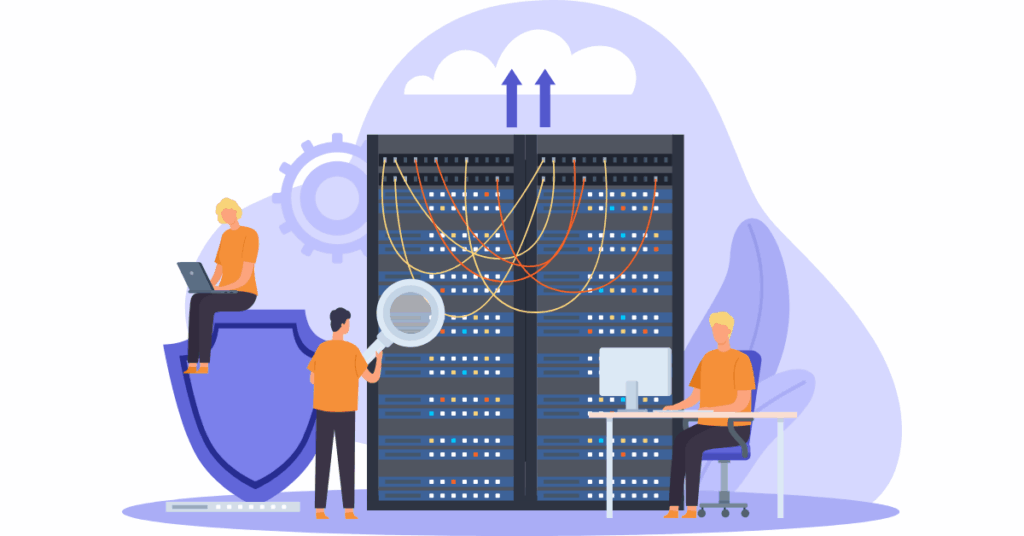
Caching is basically your server’s memory. Caching allows servers to “remember” websites and deliver them to visitors more quickly instead of rebuilding everything from scratch every single time.
Think of it like making coffee.
Without caching, every time someone wants coffee, you’d need to grind the beans, brew it fresh, and pour a cup. That takes time. With caching, you make a pot of coffee in the morning, and when people want some, you just pour from the pot.
Much faster.
For websites, caching reduces database queries and CPU usage. This is especially important for WordPress, Joomla, and similar platforms that build pages dynamically.
What you need in a website hosting plan is multiple layers of caching.
- Object caching using Redis or Memcached for database queries.
- Browser caching so visitors’ browsers remember some content.
- Automatic cache warming after you update your site.
- And advanced caching systems like LiteSpeed that understand how to cache dynamic content intelligently.
CloudPap’s multi-layer caching strategy means your site loads fast even during high traffic.
The server remembers what to show visitors, so pages appear nearly instantly instead of making your database work hard every single time.
Security Features
Speed matters, but security matters more. A fast website that gets hacked is worthless. Let’s talk about the security features your website hosting plan absolutely must include.
5) Free SSL Certificates (Wildcard Support)
Here’s a simple rule: your host in 2026 must provide a free SSL certificate. Do not choose a provider that charges extra for this. It should be standard.
SSL certificates are what make your website use HTTPS instead of HTTP. That little padlock icon in the browser? That’s SSL doing its job.
Why does this matter?
- First, Google ranks HTTPS sites higher in search results. If your competitor has HTTPS and you don’t, they’ll likely rank above you.
- Second, browsers now mark non-HTTPS sites as “Not Secure” with a big warning. That scares visitors away.
- Third, SSL is required for payment processing. You literally cannot accept credit cards without it.
Beyond basic SSL, you need wildcard certificates for subdomains. This means if you have blog.yoursite.com or shop.yoursite.com, they’re all covered under one certificate. You also need support for multiple domains if you run several sites.
CloudPap provides free wildcard SSL for all websites with automatic installation and renewal. You never have to think about it.
Your sites are secure, Google is happy, and visitors trust you.
6) DDoS Protection and Web Application Firewall
Almost half of businesses face hacking attempts due to weak hosting security, and it costs them thousands of dollars monthly.
Let me tell you why this happens and how to prevent it.
DDoS
DDoS attacks are when hackers flood your website with so much fake traffic that real visitors can’t get through. It’s like calling a business phone number, but the line is always busy because someone’s calling it a million times to block everyone else.
DDoS attacks can take sites offline for hours or even days.
Web Application Firewall
A Web Application Firewall, or WAF, is different. It blocks specific types of attacks like SQL injection and cross-site scripting (XSS). These are technical attack methods hackers use to break into databases or steal information.
Your hosting plan needs automatic DDoS mitigation at the network edge. This means attacks get stopped before they even reach your actual website.
You also need a WAF with OWASP ruleset protection. That’s a fancy way of saying it blocks all the common hacking techniques.
Additional must-haves include brute force protection for login attempts (blocking hackers who try to guess passwords over and over), malware scanning and removal, and real-time threat monitoring.
CloudPap includes enterprise-grade security in all plans. This is the same level of protection that big companies pay thousands for, but you get it as standard: DDoS protection, WAF, malware scanning, all of it.
7) Automated Daily Backups with Easy Restoration
Automatic daily backups are essential features that hosts must not charge extra for. Let me explain why backups are literally the difference between a bad day and losing everything.
Imagine waking up to find your website is gone. Maybe you got hacked. Perhaps you accidentally deleted something. Maybe a plugin update broke everything. Without backups, you’re starting over from scratch.
All your content, all your customer data, all your hard work—gone.
With backups, you restore from yesterday, and you’re back in business. Problem solved in minutes instead of months.
But not all backup systems are equal.
You need automated daily backups at a minimum.
Some sites need hourly backups if they change frequently. You need off-site backup storage, meaning backups are kept somewhere separate from your main server. If your server catches fire (it happens), your backups are safe elsewhere.
You also need one-click restoration.
Some hosts make restoring so complicated that you need to hire someone to do it. That defeats the purpose. The restoration process should be simple: click a button, select which backup you want, and boom, restored.
Keep at least 30 days of backup retention.
Some hosts only keep backups for a week. That’s not enough. What if you don’t notice a problem for two weeks? With 30-day retention, you can go back far enough to find a clean copy.
And make sure both the database and file backups are included. Your website has two main parts: files (images, themes, plugins) and the database (your actual content). You need both backed up, not just one.
CloudPap’s automated backup system handles all of this with 30-day retention, off-site storage, and one-click restoration.
Set it up once, then forget about it. Your site is protected.
Reliability and Support
Speed and security are great, but what happens when something goes wrong? That’s where reliability and support become critical.
8) 99.99% Uptime SLA (Service Level Agreement)
Every minute your website is offline, you’re losing money and damaging your reputation. Let me show you precisely what uptime percentages really mean.
99.9% uptime sounds excellent, right? Three nines!
But do the math. 99.9% uptime means 43.8 minutes of downtime every single month. That’s almost an hour where your site is completely unreachable.
Now look at 99.99% uptime. Four nines.
That’s only 4.38 minutes of downtime per month. See the difference? That extra 0.09% means 39 minutes less downtime. For an online store, that could be thousands of dollars saved.
But here’s what really matters. The SLA, or Service Level Agreement. This is a written guarantee. Some hosts claim high uptime but won’t put it in writing with consequences if they fail.
That should be a red flag.
An absolute uptime guarantee includes a compensation structure for downtime. If your site goes down, you should get credits or refunds. The provider should also share historical uptime performance data. If they hide their track record, there’s probably a reason.
What creates reliable uptime? Redundant infrastructure.
That means backup power systems, multiple network connections, redundant cooling systems, and servers that automatically take over if one fails.
CloudPap’s 99.99% uptime SLA comes with account credits if we fall short. We’re confident enough in our infrastructure to put our money where our mouth is.
9) 24/7/365 Expert Support (Real Humans)

Many providers offer 24/7/365 support, but here’s the catch: they only offer it via knowledge base articles and AI chatbots. When you have a real problem, you need real humans who actually know hosting.
The difference between good and bad support is massive.
Bad support is outsourced to first-level technicians who read from scripts. They can reset passwords and not much else.
Good support is in-house technical experts who’ve actually built websites and understand complex problems.
Average response times matter.
Some hosts take 24-48 hours to respond to tickets. By then, you’ve lost two days of business.
CloudPap’s support averages under 2 minutes for first response.
Two minutes versus two days, which would you prefer?
You also need multiple support channels.
- Chat for quick questions.
- Email for detailed issues.
- Phone for urgent problems.
Some hosts hide behind ticket systems only because they don’t want to talk to customers. That should worry you.
Questions you should ask before signing up:
- What’s the average first response time?
- Are support staff in-house or outsourced?
- Do they have experience with your platform (WordPress, Magento, whatever you use)?
- Is phone support actually available, or just tickets?
CloudPap offers instant response 24/7 support with real hosting experts. Not scripts. Not outsourced teams. Not AI bots pretending to help.
Real people who know hosting and solve your problems right away.
10) Free Website Migration Services
Switching hosts can be scary.
- There’s technical complexity.
- Risk of downtime.
- Database transfers that can go wrong.
- Files that might get lost.
- DNS propagation timing that nobody really understands.
This is why free website migration services matter.
An experienced migration team should handle the entire transfer for you. Zero-downtime migration processes mean your site stays online throughout the move. Complete site testing before the DNS switch ensures everything works before you actually make the change.
And critically, there should be no additional charges for migration. Some hosts advertise “free migration,” but then charge hundreds of dollars when you actually try to do it.
CloudPap’s free expert migration service means you can switch to better hosting without fear.
Our team handles everything. We test thoroughly. Your site never goes down. And we don’t charge you a penny for it.
Scalability and Management Features
Your website won’t stay the same size forever. As you grow, your hosting needs to grow with you, without forcing you to migrate again.
11) Seamless Scalability Without Downtime
Remember when 30% of enterprises will automate over half their network activities by 2026? That’s happening because businesses are growing fast and need infrastructure that keeps up.
Traffic spikes happen.
Your blog post could go viral. Your sale may be shared on social media. Maybe a news site links to you. Suddenly, you go from 100 visitors a day to 10,000.
If your hosting can’t handle it, your site crashes right when you need it most.
Seasonal businesses face this too.
Retail sites explode during holidays. Tax sites get hammered in April. You need hosting that handles the busy season without paying enterprise prices year-round.
Real scalability means instant resource upgrades. More RAM, more CPU power, more storage. All available immediately.
No downtime during scaling, so your site never goes offline while upgrading. Automatic traffic spike handling that kicks in when needed.
Pay-as-you-grow pricing models mean you’re not overpaying during slow periods or scrambling during busy periods. You pay for what you actually use.
CloudPap’s one-click scaling architecture makes growth simple.
- Getting more traffic? Click to upgrade.
- Need more resources for a sale? Click to scale up.
- Is the Sale over? Scale back down.
No complicated migrations. No downtime. Just smooth, simple growth.
12) User-Friendly Control Panel and Management Tools
Technical complexity kills productivity. If you need a computer science degree to manage your hosting, something’s wrong.
A user-friendly control panel simplifies website management tasks. You should be able to set up email accounts, manage files, and install applications without calling support every time.
One-click CMS installations for WordPress, Joomla, Drupal, and other platforms mean you can launch sites in minutes, not hours.
Modern control panels include email account management without complicated settings. Database administration tools that don’t require you to be a database expert.
File managers with built-in code editors for quick tweaks.
You also want built-in analytics and monitoring.
- See your traffic.
- Check your resource usage.
- Spot problems before they become disasters.
- SSL management, backup scheduling, and domain management.
All in one place.
CloudPap’s intuitive dashboard brings everything together.
Built-in analytics show you what’s happening.
Management tools are simple enough for beginners but powerful enough for experts.
Everything you need, nothing you don’t.
Web Hosting Types Explained
Not all web hosting is created equal. Let’s break down the different types so you understand what you’re actually getting.
A. Cloud Website Hosting (Recommended for 2026)
Cloud hosting is what we recommend for most people in 2026, and here’s why.
- With cloud hosting, your website runs on a distributed infrastructure across multiple servers instead of just one physical machine. If one server has a problem, your site automatically moves to another one.
Automatic failover means you stay online even when hardware fails.
- You get instant scalability without migrating to a new server.
Need more resources? They’re available immediately.
Traffic spike? The system handles it automatically.
Better performance than traditional shared hosting because resources are distributed and redundant.
B. Shared Hosting (Budget Entry Level)
The shared hosting market is set to reach $70.6 billion by 2026, and over 18.5 million websites use shared hosting worldwide. So it’s popular, but that doesn’t necessarily make it the best choice.
Shared hosting means multiple websites share a single server’s resources.
It’s like having roommates.
You split the rent, but you also share the kitchen, bathroom, and living room. If your neighbor uses too many resources, your site slows down.
Shared hosting is affordable. It’s the budget option. But it comes with limited performance and resources.
Your site might load quickly at 2 AM when nobody else is using the server, then crawl at 2 PM when everyone’s online.
For a basic personal blog or small site with low traffic, shared hosting can work. But if you’re serious about your website, you’ll outgrow it quickly.
C. VPS Hosting (Middle Ground)
The VPS market is forecasted to reach $6.4 billion by 2026, and over 24 million websites globally use VPS hosting.
VPS stands for Virtual Private Server. Think of it as having your own apartment instead of roommates. You still share the building (the physical server), but you have dedicated resources that only you can use.
VPS gives you more control than shared hosting and costs less than dedicated hosting. Your resources are guaranteed, so neighboring sites can’t slow you down. You can customize your server environment more than shared hosting allows.
VPS is good for medium-sized sites that need consistent performance but can’t afford dedicated servers. The downside is that VPS requires more technical knowledge to manage.
D. Dedicated Hosting (Maximum Resources)

Dedicated hosting is expected to hit $29.6 billion by 2026, growing at 18.9% CAGR. Over 41 million websites rely on dedicated servers.
With dedicated hosting, you get an entire physical server just for you. Nobody else shares it. Maximum control, maximum resources, maximum customization.
You can configure everything exactly how you want it.
The downsides?
It’s expensive. Starting from $60 to $500 per month.
You need technical expertise to manage it. And if your single server fails, your site goes down unless you’ve set up your own redundancy (which costs even more).
Dedicated hosting makes sense for very large websites with massive traffic, sites with specific compliance requirements, or businesses that need complete control over their hardware.
For most people, cloud hosting offers better value and reliability.
Evaluating Web Hosting Plans
Now that you know what good hosting looks like, let’s talk about the tricks and traps that catch people.
“Unlimited” and Marketing Claims
“Unlimited bandwidth!” “Unlimited storage!” “Unlimited everything!” Sounds impressive, right?
Here’s the truth.
Unlimited traffic might mean levels that cannot be exceeded, but there’s always a catch buried in the terms of service. “Unmetered” means you get a set amount that you can use as you see fit, but it’s not actually unlimited.
Fair usage policies hide in the terms of service. They say “unlimited” in the marketing, then define “reasonable use” in the fine print. Exceed their hidden limits, and suddenly your “unlimited” plan has obvious limits.
Resource throttling happens under “unlimited” plans. Your site might slow down to unusable speeds if you exceed their secret thresholds. They don’t technically shut you down, so they can claim 99.9% uptime. But if your site takes 30 seconds to load, that’s not really “up.”
What “unlimited” really means in practice:
“We’re betting you won’t use very much, so we’ll oversell our servers. If you actually need what we promised, we’ll find a way to throttle you or push you to upgrade.”
Red flags to watch for include;
- Pricing that’s too good to be true
- Unclear renewal rates hidden in tiny text
- Setup or migration fees that appear after signup
- No clear resource specifications (because they’re hiding overselling).
Pricing Transparency and Renewal Rates
This is where many hosting companies really get you.
Many hosting companies offer promotional pricing that’s significantly lower than renewal rates. You see “$2.99 per month” in huge text. What you don’t see until later is that it’s only for the first year, and renewal is $19.99 per month.
Some promotional pricing is good for three years. Others are only good for a month. You need to check exactly how long the discount lasts and what you’ll actually pay long-term.
Questions to ask before signing up.
- What’s the exact renewal price?
- How long is the promotional period?
- What features require additional payment after the first year?
Are there bandwidth or storage overage fees hidden somewhere?
CloudPap’s pricing is transparent with no hidden costs. The price you see is the price you pay, and renewal rates are clearly stated upfront.
We don’t play games with promotional periods that trap you.
Free vs. Paid Hosting
Check for hidden costs with “free” hosting—many providers display advertising on customer websites without telling you upfront. They make money by putting ads on your site, which looks unprofessional and drives visitors away.
“Free” hosting usually comes with severely limited features. You get 500 MB of storage (not nearly enough), minimal bandwidth, no SSL, no support, and terrible performance. Then they charge you to upgrade to anything actually usable.
Poor performance and unreliable uptime mean your site is slow and goes down frequently. No support means when things break (and they will), you’re on your own. Security vulnerabilities are common because free hosting companies cut corners everywhere.
The truth about free hosting is that it ends up costing more—either in money when you’re forced to upgrade, or in lost opportunities when your site is too slow and unprofessional to convert visitors.
If you’re serious about your website, don’t use free hosting. It’s not worth it.
CloudPap Cloud Website Hosting
Now that you understand what a website hosting plan should include, let me show you how CloudPap delivers on every single point.
a) Performance at Its Core
CloudPap delivers lightning-fast NVMe SSD storage across all plans. Not standard SSDs. Not hard drives.
We include HTTP/3 support with the QUIC protocol for the fastest possible connections. This isn’t optional or an add-on. It’s standard because we believe your visitors deserve speed.
Our integrated global CDN ensures worldwide performance. Whether your visitor is in New York or New Delhi, they get fast load times from a nearby server.
Multi-layer caching (LiteSpeed, Redis, browser caching) means your site loads nearly instantly. We’ve optimized for WordPress, Magento, Shopify, and all major platforms because we know what actually works.
Real performance metrics?
Sub-second page load times are standard.
Our 99.99% uptime guarantee is backed by an SLA with credits. And our scalable architecture grows with your business automatically.
b) Security Without Compromise

Enterprise-grade security features are included, not sold as add-ons.
Free wildcard SSL certificates with automatic renewal mean all your sites and subdomains are secure. You never have to think about it or pay extra.
Advanced DDoS protection at the network edge stops attacks before they reach your site. Our Web Application Firewall (WAF) blocks common threats automatically.
Automated daily backups with 30-day retention protect your data. Malware scanning and removal keep your site clean. Brute force protection stops password-guessing attacks.
This is enterprise-level security at prices that make sense for small businesses and startups.
c) Real Support, Real Humans, Real Time
Our 24/7 expert support means instant response via chat, email, and phone. Not “we’ll get back to you in 24-48 hours.” Instant. Like within minutes.
Our support team is in-house hosting experts, not outsourced script-readers. They’ve built websites. They understand hosting deeply. They can actually solve complex problems instead of just reading troubleshooting steps.
Proactive monitoring and issue prevention mean we often fix problems before you even know they exist. Free website migration by our expert team makes switching to CloudPap painless.
No ticket queues. No waiting hours for responses. Just real help when you need it.
d) Flexible Pricing for Every Stage
CloudPap offers scalable plans for every situation.
- Individual and startup plans work perfectly for new sites and small projects.
- Business plans handle growing companies with increasing traffic.
- Enterprise solutions support high-traffic platforms and complex requirements.
Our pricing is transparent with no hidden fees. What you see is what you pay. No surprise charges at renewal. No nickel-and-diming for features that should be standard.
Easy upgrades without downtime mean you can grow seamlessly. Start small, scale up as you succeed. That’s how it should work.
Migration and Getting Started
Ready to make the switch? Here’s what to expect.
Seamless Migration Process
CloudPap handles migrations with our free expert migration service. No downtime during transfer means your site stays online throughout the process.
We do complete site testing before switchover.
Every page, every function, every form, we test it all to make sure everything works perfectly before we actually make the switch.
Database and file migration are both included. SSL certificates transfer over. DNS management assistance ensures smooth propagation. Custom configurations get migrated too.
What gets migrated?
- All website files and databases.
- Email accounts and configurations.
- SSL certificates.
- DNS records.
- Custom settings.
- Everything you need to keep working without interruption.
Launch Checklist
When you’re setting up your hosting, here’s what to do:
Connect your domain and make sure DNS is pointing correctly. Activate your SSL certificate (though CloudPap does this automatically). Configure email accounts if you need them.
Schedule your backups (we do this automatically, but you can customize the schedule). Run through performance optimization (mostly automatic, but we’ll help if you want to tweak anything). Review security settings to make sure everything’s protected.
CloudPap makes this simple with a guided setup, but our support team is always available if you need help.
What to do next:
- Evaluate your current hosting against the 12 essential features we covered. Be honest about where it falls short.
If you’re missing several of these features, it’s time to upgrade.
- Compare renewal pricing, not just promotional rates.
That $3.99/month rate might be $29.99 upon renewal. Do the math on what you’ll actually pay over 2-3 years.
- Test support responsiveness before committing.
Send a pre-sales question. See how long they take to respond and whether they actually answer your question or send a generic reply.
- Consider your growth requirements for the next 2-3 years.
If you’re planning to grow, you need hosting that can scale with you. Migrating later is painful—choose scalable hosting now.
Explore CloudPap’s plans to see the difference modern cloud hosting makes. We’ve designed our hosting specifically to meet every 2026 standard we discussed in this guide.
Ready to experience hosting that actually delivers?
CloudPap’s cloud website hosting gives you lightning-fast performance, enterprise security, and real support all at transparent pricing that makes sense for growing businesses.
We include everything a website hosting plan should have in 2026.
- NVMe storage
- HTTP/3 support
- Global CDN
- Free SSL
- DDoS protection
- Automated backups
- 99.99% uptime SLA
- 24/7/365 expert support.
See our plans and discover why thousands of websites trust CloudPap for hosting that actually works the way it should. Fast, secure, reliable, and backed by real humans who care about your success. Send in your request now.