
Ever looked at your hosting bill and wondered if you’re throwing money away?
You’re running a website that matters to your business. It could be your online store, your blog that’s finally getting traction, or the platform you built for your customers.
And now someone’s telling you to switch to cloud hosting, which costs way more than what you’re paying now.
Your wallet says no. Your business might be saying yes.
Right now, you’re probably dealing with one or more of these headaches:
- Your site crashes every time traffic picks up
- Loading times that make visitors hit the back button
- Worrying about whether you can handle growth
- Confused about what you’re actually paying for
- Not sure if “the cloud” is just fancy marketing talk
Sound familiar?
Over 94% of companies now use cloud computing, but that doesn’t mean everyone understands if it’s worth the price tag.
In this guide, we’re going to clear up the confusion around cloud hosting costs. Here’s what you’ll learn:
- What cloud hosting costs (and what drives those prices)
- How cloud stacks up against regular shared hosting
- Specific situations where cloud hosting makes financial sense
- Times when cheaper hosting works just fine
By the end, you’ll know exactly whether cloud hosting is a wise investment for your situation, or just an expensive distraction.
Let’s get into it.
What Cloud Hosting Costs
First things first. Let’s talk about real numbers.
Cloud hosting costs around $27 per month. But here’s where it gets tricky.
That price can swing anywhere from $11 to well over $100 monthly, depending on what you need.
Compare that to shared hosting, which runs about $3 to $15 per month. Yeah, that’s a big jump.
So what are you actually paying for?
The Main Things That Drive Up Your Cloud Hosting Bill
Think of cloud hosting like renting an apartment. The bigger and fancier you go, the more you pay.
Here are the main cost drivers.
Your server power makes up about 70% of what you’ll pay. This means the processing speed (vCPU) and memory (RAM) your site uses.
Need more power? Your bill goes up.
Storage space comes next. You can pick between super-fast SSD storage or slower HDD storage. Most people go with SSDs these days because nobody likes waiting for pages to load.
Where your server lives matters too; hosting in America tends to be cheaper. Meanwhile, the Asia-Pacific regions, especially Singapore, will cost you more. That’s just how the market works.
Bandwidth and data transfer can sneak up on you. When visitors come to your site and load pages, that uses data. Send too much data in a month, and you’ll see extra charges.
Support levels vary wildly. Basic support comes standard. But if you want someone available 24/7 to fix problems immediately, that costs extra.
The Sneaky Costs Nobody Warns You About
Now for the stuff that catches people off guard.
a) Backup services usually cost extra.
Yep, even though you’d think protecting your data would be standard, most providers charge separately for it.
b) Traffic spikes can hammer your wallet.
Let’s say your post goes viral or you run a big sale. Suddenly, you’re using way more bandwidth than usual, and boom, overage fees.
c) Software licenses add up fast.
Need Windows Server instead of Linux? That’s extra. Want cPanel to manage your site easily? More money. Using SQL databases? You guessed it. More fees.
d) Data transfer gets complicated.
Moving data out of the cloud (what they call “egress”) often costs more than moving it in. If you’re constantly pulling data out, those charges pile up.
e) SSL certificates premium version
SSLs might cost extra for premium versions, though many hosts throw in basic SSL for free now.
The cloud hosting market will hit $70.6 billion by 2026, growing at 18% every year. That kind of growth happens because businesses see value.
But it also means providers have plenty of ways to charge you.
Cloud vs Shared Hosting: What’s Really Different?
Let’s break down what makes these two types of hosting so different.
How They Work
Shared hosting is like living in a crowded apartment building. You share one server with dozens (or hundreds) of other websites. Everyone uses the same resources, same processing power, same memory, same everything.
Cloud hosting works differently. Your site lives across multiple servers that work together. Think of it like having backup apartments ready in case one gets too crowded or breaks down.
That difference changes everything about how your site performs.
1. Speed and Reliability
With shared hosting, your site’s performance depends on your neighbors. If someone else’s website on your server suddenly gets slammed with traffic, your site slows down too.
Sometimes it crashes completely because one site eats up all the bandwidth.
Cloud hosting doesn’t have that problem.
When traffic spikes hit, the system automatically pulls resources from other servers to keep your site running smoothly. Even during major traffic surges, your site stays up and stays fast.
Real talk?
Page loading time directly affects your bottom line. Slow sites lose visitors, hurt your search rankings, and kill sales.
2. Growing Your Site
This is where the cost difference starts making sense, or not.
Shared hosting has a ceiling. Once you hit the resource limits (which happens faster than you’d think), that’s it. You can’t scale up.
You have to migrate to a completely different hosting type, which means downtime and hassle.
Cloud hosting scales easily.
Traffic going up? The system adds more resources automatically.
Traffic drops? It scales back down, and you pay less.
No migration needed. No downtime. Just smooth adjustments.
Imagine launching a product or running a sale. With shared hosting, you’re crossing your fingers, hoping your site can handle the traffic. With cloud hosting, you know it can.
3. Security Matters
Here’s something that should make you think twice about shared hosting.
When websites share a server, they share security risks too. If one site gets hacked, yours could be vulnerable.
Cloud hosting isolates your virtual server from others. Plus, you get advanced security protocols that most shared hosting plans don’t offer.
Get this.
94% of businesses report better security after moving to the cloud. That’s not a small number.
When Cloud Hosting Pays for Itself

Now we’re getting to the good stuff. When does spending extra actually make financial sense?
Let’s talk about actual return on investment.
A Forrester study tracked organizations using cloud hosting for three years. They saw benefits worth $2.37 million against costs of $829,000. That’s a 186% return on investment.
One retail company cut their hardware and hosting costs by 37% after switching to cloud.
But the bigger win? They could launch new features faster and capture more sales.
- You save on buying physical servers, which can run $5,000 to $20,000 to start.
- You skip the maintenance costs.
- No IT staff needed to keep servers running.
- No electricity bills for running and cooling servers.
Time matters too.
With traditional hosting, launching a new project could take weeks. Cloud hosting? You’re up and running in hours, sometimes minutes.
Types of Sites That Benefit Most From Cloud Hosting
Online stores top the list. If you’re selling products online, downtime literally costs you money. Every minute your site is down, you’re losing sales. Cloud hosting’s reliability becomes insurance that pays for itself.
During Black Friday or holiday sales, your traffic might jump 10x overnight. Cloud hosting handles that.
Shared hosting? Your site crashes right when you need it most.
High-traffic websites need cloud hosting once you’re pushing thousands of visitors monthly. Shared hosting starts buckling around 5,000 to 10,000 monthly visitors.
Cloud hosting can handle millions.
Growing startups face a specific problem. You’re gaining users fast, but you can’t predict exactly how fast. Cloud hosting lets you scale instantly without planning migrations or dealing with downtime during growth spurts.
SaaS platforms depend on constant availability. Your customers are paying for 24/7 access. The global SaaS market is heading toward $1.25 trillion by 2034, and all those companies need reliable hosting.
Content-heavy sites with lots of media, videos, or downloadable files need the bandwidth and storage that cloud hosting provides without breaking a sweat.
Web professionals managing multiple client sites love cloud hosting because they can spin up new sites quickly and manage everything from one dashboard.
Making Cloud Costs Work Smarter
Companies waste about 27% of their cloud spending. But you don’t have to.
- Tools that track your cloud costs closely show savings that beat the tool’s price within two months. The trick is monitoring what you actually use and adjusting.
- Right-sizing means picking the exact resources you need. Not more, not less.
- Autoscaling adjusts automatically based on traffic.
- Reserved instances give you discounts for committing to longer terms.
These aren’t complicated strategies. They’re just innovative ways to use cloud hosting without overpaying.
When You Should Stick with Cheaper Hosting
Cloud hosting isn’t always the answer. Sometimes simpler (and cheaper) works just fine.
Sites That Don’t Need Cloud Power
Personal blogs with modest traffic do great on shared hosting. If you’re writing for fun or building an audience slowly, spending $30+ monthly doesn’t make sense when $5 works fine.
Portfolio websites showing your work usually handle low traffic just fine on shared hosting. These sites typically have static content that doesn’t change much, making them perfect for basic hosting.
Early-stage projects and MVPs (minimum viable products) work well on shared hosting while you’re testing ideas. Why spend more before you know if your concept works?
Tight budgets are real. If you’re bootstrapping or just starting out, shared hosting at $3 to $15 monthly makes sense. It’s the most affordable option, especially for beginners learning the ropes.
Non-critical applications that won’t hurt your business if they go down briefly can safely use shared hosting. If downtime doesn’t cost you money or users, save your cash.
What Else to Consider
Switching to cloud hosting means learning new systems. If you don’t have tech experience, there’s a learning curve. Managed cloud hosting helps, but it costs more.
Managing cloud hosting takes time, even with managed services. You’ll make decisions about scaling, monitoring costs, and optimizing resources.
Migration from your current hosting has costs too—time, potential downtime, and sometimes data transfer fees.
Over-provisioning wastes money. Some businesses get cloud hosting “just in case” and never use the scalability features they’re paying for.
What’s Changing in 2026 That Affects Your Hosting Decision
The hosting world keeps moving. Here’s what’s happening right now that impacts whether cloud hosting is worth it for you.
AI Is Eating Resources
Artificial intelligence needs massive computing power. Global AI infrastructure spending is expected to top $2 trillion in 2026. Oracle forecasts over 70% growth in infrastructure services from 2025 to 2026.
What does this mean for you?
More competition for cloud resources could affect pricing. But it also means providers are investing heavily in infrastructure, which often leads to better service.
More Competition, Better Prices
With 94% of companies now using cloud computing, the market is crowded with providers fighting for customers. That competition drives prices down and pushes transparency up.
Cloud hosting prices are changing quickly in 2025 and 2026 as providers adapt. More providers mean more options at different price points.
The market grew at 18% annually, reaching $70.6 billion by 2026. That growth funds better technology and more competitive pricing.
Managed Cloud Hosting Gets Bigger
The managed cloud hosting market jumped from $50.62 billion in 2025 and is heading toward $120 billion by 2035. Why? Because businesses want the benefits of cloud without the technical headaches.
Managed services mean 24/7 support, automatic security updates, and compliance help. You get cloud power without needing cloud expertise. That value proposition is attracting more customers willing to pay for convenience.
How to Figure Out What You Need
Stop guessing. Here’s how to make this decision based on your real situation.
Calculate What You’re Using Now
1.1 Start with traffic.
How many visitors do you get monthly? What about during your busiest days? If you’re seeing spikes above 5,000 monthly visitors, you’re approaching shared hosting’s limits.
1.2 Check your resource usage.
Log in to your current hosting dashboard and look at CPU usage, memory usage, and bandwidth consumption. Are you regularly hitting 70% or more? That’s your warning sign.
1.3 Think about uptime requirements.
How much does downtime actually cost your business? If your site goes down for an hour, do you lose $50? $500? $5,000? That number matters.
1.4 Look at your growth timeline.
Where do you expect to be in 12 months? 24 months? If you’re doubling traffic yearly, factor that into your decision.
The Simple Cost-Benefit Formula
Take your current hosting costs, including all those hidden fees you discovered. Write that number down.
Get quotes for cloud hosting that would handle your current needs plus a 50% growth buffer. Write that down too.
Now, calculate the business impact.
If your site goes down, what do you lose per hour? Multiply that by how often downtime happens. That’s the cost of poor hosting.
Factor in time savings.
How many hours monthly do you (or your team) spend dealing with hosting issues? Multiply those hours by what your time is worth. Cloud hosting’s reliability gives you those hours back.
Consider growth enablement.
Are you turning down opportunities or limiting features because your current hosting can’t handle them? That’s an opportunity cost.
Questions That Point You in the Right Direction
Do you experience traffic spikes? If yes, cloud hosting prevents the crashes that come with sudden popularity.
Is website downtime costing you real money? Cloud hosting’s reliability is an investment, not an expense.
Do you need to scale resources quickly? Cloud does this automatically. Other hosting types don’t.
Are you managing multiple sites or applications? Cloud hosting’s flexibility makes this way easier.
Is your current hosting limiting what you can do? If you’re saying, “I can’t do that because my hosting won’t support it,” you already know the answer.
Do you have IT expertise, or do you need managed services? Be honest here. If you don’t know what you’re doing, managed cloud hosting saves you from expensive mistakes.
Picking a Cloud Host That Won’t Rob You Blind
Not all cloud hosting is created equal. Here’s how to separate good value from expensive disappointment.
Features Worth Paying For
Uptime guarantees matter hugely. Look for 99.9% minimum, with 99.99% or 99.999% being better. Those decimal points represent hours of downtime yearly. 99.9% means about 8.7 hours of downtime yearly. 99.999% means just 5 minutes.
Transparent pricing means you see exactly what you’re paying for, no surprises. Predictable monthly billing lets you budget properly.
Included services add value. Free SSL certificates, automatic backups, CDN (content delivery network), and security monitoring should come standard, not cost extra.
Support quality varies wildly between providers. Read reviews about actual support experiences. Can you reach a real human 24/7? How fast do they respond? Do they actually solve problems?
Scalability options with pay-as-you-go pricing keep costs matching your actual usage. You shouldn’t pay for resources you’re not using.
Warning Signs of Bad Cloud Hosting Deals
Committed use discounts and free credits often lock you in. Read the fine print. Some “great deals” require long-term contracts that cost way more than you’d pay going month-to-month elsewhere.
Opaque billing structures that make it impossible to predict your monthly cost are red flags. If you can’t figure out what you’ll pay, run away.
Big price jumps after the first term are classic bait-and-switch tactics. That $10/month intro rate becomes $50/month in year two.
Limited support tiers that charge extra for basic help are frustrating. You shouldn’t pay extra just to get responses when things break.
Poor uptime track records show up in user reviews. Check independent review sites, not just testimonials on the provider’s website.
What CloudPap Brings to the Table
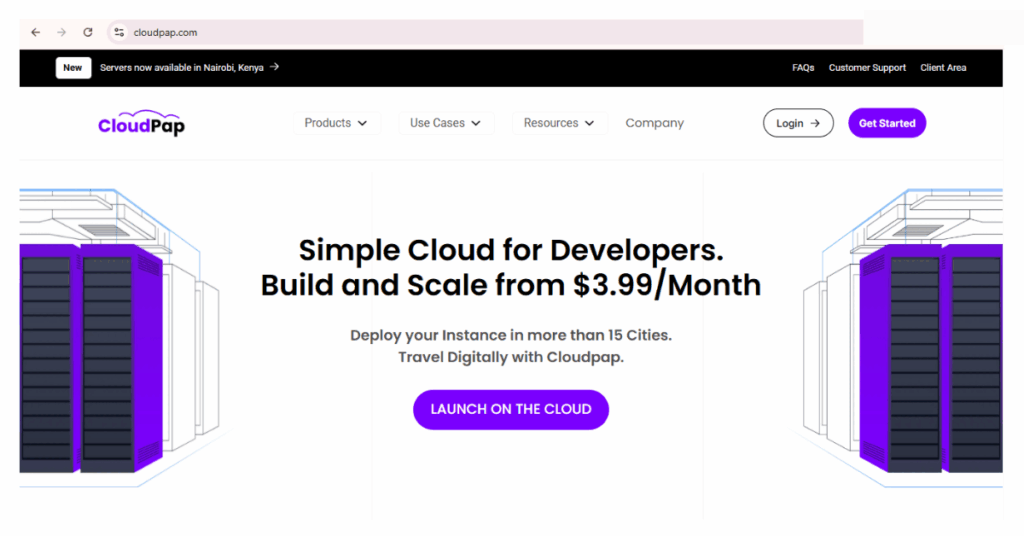
CloudPap built its cloud web hosting specifically for businesses tired of confusing pricing and unreliable service.
Here’s what makes CloudPap different:
Pricing
Transparent pricing means you see exactly what you’re paying for upfront. No hidden fees for backups, bandwidth, or basic security features.
Services
Managed services come standard. You get 24/7 expert support that actually knows what they’re doing. No ticket systems where you wait days for responses.
Real people who fix real problems fast 24/7/365 days.
Scalability
Scalability that works automatically. Does your site grow? Resources scale up. Traffic drops? Costs adjust down.
You’re never paying for more than you need.
Security
Enterprise-grade security for all customers, not just the expensive plans. Your data stays protected regardless of which plan you choose.
Free migration
Free migration assistance means CloudPap’s team moves your site from your current host with zero downtime. You don’t deal with the technical headaches.
Perfect for SaaS Apps
CloudPap also powers SaaS applications with infrastructure that handles complex applications and high user loads without breaking a sweat.
Making the Switch Without Losing Your Mind
Decided cloud hosting makes sense? Great.
Here’s how to migrate without everything falling apart.
Plan Before You Move
First, audit your current setup. What exactly are you hosting? Which files, databases, email accounts, and applications need moving? Make a complete list.
Figure out the sequence. Move test environments first, then staging, then production. Don’t migrate everything at once unless your site is simple.
Many providers (including CloudPap) offer free migration services. Use them. Professional migration teams have done this thousands of times. You haven’t.
Set up testing environments on your new cloud hosting before going live. Make sure everything works exactly like it should before cutting over.
Avoid These Migration Mistakes
Data transfer costs during migration can surprise you if you’re moving terabytes of data. Ask about migration bandwidth limits and fees upfront.
Downtime during transition kills businesses. Schedule migrations during your lowest-traffic periods. Better yet, use providers who can migrate with zero downtime.
Application compatibility issues pop up when your code expects specific server configurations. Test thoroughly in staging before going live.
Staff training takes time. Make sure everyone who touches your site knows how to use the new cloud hosting dashboard and features.
So, Is Cloud Hosting Worth It?
Let’s bring this home.
Cloud hosting is worth the extra cost if you’re running:
- Any business where your website directly makes you money
- Sites experiencing growth in traffic or planning to grow
- Online stores, SaaS platforms, or membership sites
- Multiple websites or applications that need reliable hosting
- Anything where downtime costs you real dollars or damages your reputation
Shared hosting still makes sense when you’re:
- Running a personal blog or portfolio with low traffic
- Testing a new idea before committing resources
- Working with a genuinely tight budget and minimal traffic
- Hosting something that won’t hurt your business if it goes down briefly
According to McKinsey, cloud value comes from innovation and growth, worth five times more than just cost savings. Cloud hosting isn’t just about keeping your site running. It’s about enabling you to do things you couldn’t do before.
The real question isn’t “Can I afford cloud hosting?” It’s “Can I afford to keep limiting my business with hosting that can’t keep up?”
If your website matters to your business, reliable hosting isn’t optional. It’s the foundation everything else builds on.
Ready to Make the Switch?
Here’s your action plan:
- Calculate your total hosting costs right now, including all those surprise fees
- Figure out what downtime and slow performance are actually costing you
- Map out where you expect to be in the next 12 to 24 months
- Get detailed quotes from cloud providers (including CloudPap)
- Start with an entry-level cloud plan, monitor your usage, and optimize as you go
CloudPap makes this decision easy with transparent pricing, included migration, and support that actually helps. Whether you need cloud hosting for your business website or infrastructure for your SaaS application, CloudPap delivers the reliability and scalability that lets you focus on growing your business instead of babysitting servers.
Stop asking, is cloud hosting worth it? The businesses succeeding online already know the answer. Now you do too.