
You just bought a domain, and now you’re looking for the best hosting option. Or is your previous host not delivering to your liking? Or among the many options in the market, what’s best for your website?
Here’s the thing.
Picking the wrong hosting can slow down your site, frustrate your visitors, and drain your wallet. Too many business owners have been sharing with us how they started with cheap hosting only to watch their site crash during their biggest sale. Others overpay for cloud servers they barely use.
The real problem?
Most hosting guides throw technical jargon at you without explaining what you actually need.
They compare gigabytes and uptime percentages, but nobody tells you which option fits your situation.
So today, I want to hold your hand and walk you through;
- The three main hosting types explained
- Exactly which one fits your traffic and budget (with real numbers)
- When to upgrade (before your site crashes)
- What you’ll actually pay (including the hidden costs)
- Common mistakes that waste money and hurt performance
Ready to make the smartest choice for your website?
Which Shared vs VPS vs Cloud Web Hosting Should You Pick?
Before we dig into the details, here’s the simple breakdown.
Pick Shared Hosting when:
- Your budget is under $10 monthly
- You get fewer than 5,000 visitors each month
- You’re running a basic blog, portfolio, or small business site
- Technical stuff makes your head spin
Pick VPS Hosting when:
- You can spend $20-80 monthly
- You’re getting 5,000-50,000 visitors each month
- Your business is growing and needs room to expand
- You want more control without going full tech-wizard
Pick Cloud Hosting when:
- Your traffic jumps around unpredictably
- You can’t afford any downtime
- You need your site to handle sudden traffic spikes
- Budget flexibility isn’t an issue
Your choice boils down to three things:
- How many people visit your site
- What you can spend
- How much technical control you need.
Shared vs VPS vs Cloud Types of Site Hosting
So let’s get to the nitty-gritty.
Shared Hosting
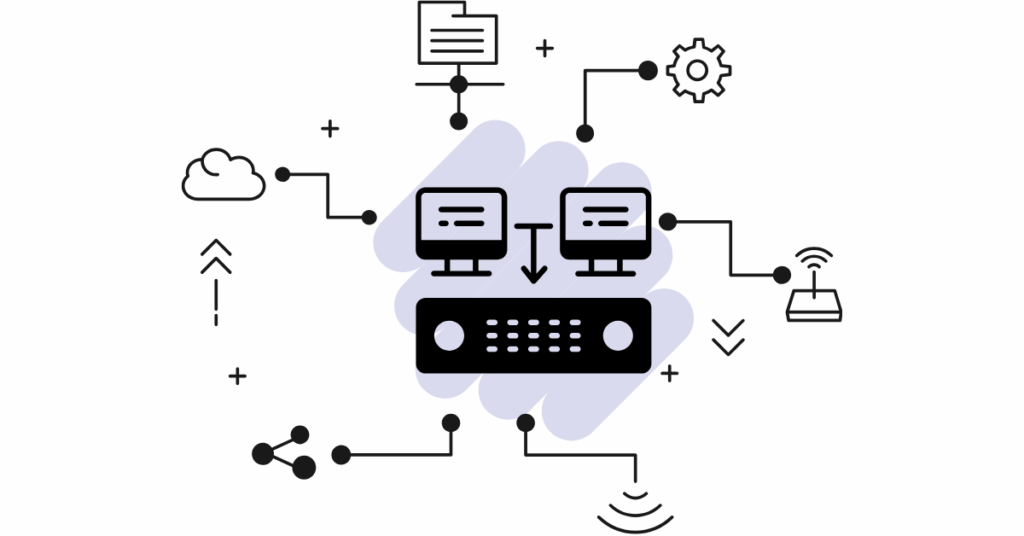
Think of shared hosting like living in an apartment building. You have your own space, but you’re sharing the same building (server) with lots of neighbors. Everyone uses the same electricity, water, and internet connection.
Here’s what that means for your website.
Your site sits on one physical server alongside hundreds (sometimes thousands) of other websites. You all share the server’s CPU power, memory, and bandwidth. When one neighbor throws a huge party (gets lots of traffic), everyone else might notice their internet slowing down.
Right now, over 18.5 million websites worldwide use shared hosting.
Why?
It’s affordable and super easy to set up. The hosting company handles all the technical stuff, updates, security, and backups, while you upload your website and go.
You get a control panel (usually cPanel) where you can manage everything with simple clicks: no command lines, no server configuration, no headaches.
The catch? Limited resources.
Most shared plans cap you at specific amounts of disk space, bandwidth, and processing power. Plus, you can’t install custom software or change server settings.
VPS Hosting
VPS (Virtual Private Server) hosting is like upgrading from an apartment to a condo. You’re still in the same building, but now you have a dedicated space that’s truly yours. Nobody else can touch your resources.
Here’s how it works.
One powerful physical server gets divided into multiple virtual servers using special software called a hypervisor. Each virtual server acts like a separate computer with its own operating system, dedicated CPU cores, RAM, and storage.
Currently, more than 24 million websites globally run on VPS hosting, and the market is expected to hit $6.4 billion by 2026. That growth tells you something: businesses are outgrowing shared hosting fast.
With VPS, you get root access, meaning you control the server. You can install whatever software you want, configure settings your way, and customize everything. It’s your digital kingdom.
You’ll also get a dedicated IP address (necessary for email deliverability and SSL certificates). Plus, when another site on the same physical server gets slammed with traffic, your site keeps humming along just fine.
The tradeoff? You need more technical know-how.
You can choose managed VPS (where your provider handles the tech stuff) or unmanaged VPS (where you’re on your own). Managed costs more, but saves your sanity.
Cloud Hosting

Cloud hosting doesn’t work like traditional hosting at all. Instead of one server, your website lives across a network of connected servers working together like a team.
Allow me to draw you the picture.
Your website’s files exist on multiple servers in different locations. When someone visits your site, the closest server responds. If one server goes down, another instantly takes over. No single point of failure.
This setup gives you something powerful: scalability.
Traffic suddenly explodes? The system automatically pulls in more resources from the network.
Traffic drops? You scale back down and pay less.
About 92% of enterprises now use multi-cloud strategies. They’re not putting all their eggs in one basket. Companies like AWS control around 13% of the global hosting market, showing just how massive cloud hosting has become.
Cloud hosting typically uses pay-as-you-go pricing. You pay for exactly what you use, kind of like your electric bill. Use more resources, pay more. Use less, pay less.
You also get features like load balancing (distributing traffic across multiple servers), automatic backups, and integration with CDNs (Content Delivery Networks) to speed up your site worldwide.
The downside?
Costs can be unpredictable, and the pricing models can get confusing fast.
Head-to-Head Shared vs VPS vs Cloud: How They Stack Up
A. Speed and Performance
Speed directly impacts your bottom line. Every second of delay can cost you visitors and sales.
| Type of hosting | |
| Shared hosting | Loads pages in 2-4 seconds on average. That’s decent for small sites, but can slow down during traffic spikes. Since you’re sharing resources, your site’s speed depends partly on your neighbors’ behavior. |
| VPS hosting | Delivers faster load times, usually 1-2 seconds. You have guaranteed resources, so performance stays consistent even when other sites on the physical server get busy. Your dedicated CPU and RAM mean your site responds quickly. |
| Cloud hosting | Offers the best performance for high-traffic sites, often loading pages in under 1 second. Multiple servers working together handle requests faster, and traffic gets routed to the closest server. During traffic surges, auto-scaling keeps performance smooth. |
Here’s a real-world scenario.
You wake up and post something that goes viral.
- Shared hosting might crash when 10,000 people hit your site simultaneously.
- VPS hosting could handle it, but it might slow down.
- Cloud hosting? It scales automatically and keeps running smoothly.
B. Growing Your Site
Starting small makes sense. But what happens when you grow?
| Type of hosting | |
| Shared hosting | Has hard limits. Most plans max out around 100,000 monthly visitors (though many struggle well before that). You can’t add more CPU power or RAM. When you hit the ceiling, your only option is migrating to a different hosting. |
| VPS hosting | Let’s you scale vertically. Meaning you can add more resources to your existing server. Need more RAM? Upgrade your plan. Need more CPU cores? Bump up a tier. Most VPS providers let you scale with a few clicks and minimal downtime. |
| Cloud hosting | Scales horizontally. Adding more servers to handle the load. This happens automatically in many cases. Your site can handle 1,000 visitors one day and 100,000 the next without you lifting a finger. Black Friday sale? No problem. Viral moment? Bring it on. |
Migration between hosting types can be tricky.
Moving from shared to VPS typically takes a few hours of downtime. Moving to cloud hosting might take longer depending on your site’s complexity.
C. Keeping Your Site Safe

Security breaches can destroy your reputation and cost you money.
| Type of hosting | |
| Shared hosting | Comes with some security risks. Since hundreds of sites share one IP address, if one site gets hacked or blacklisted, it can affect your site too (called the “bad neighbor effect”). You also can’t implement custom security configurations. |
| VPS hosting | Gives you isolation. Your virtual server is walled off from others, so bad neighbors can’t touch you. You also get to implement your own security measures: custom firewalls, security software, access controls, and more. |
| Cloud hosting | Offers enterprise-level security. By 2026, AI-driven threat detection and automated incident responses are becoming standard.The system can identify suspicious patterns and block attacks before they succeed. |
That said, good shared hosting providers include basic security: SSL certificates, firewalls, malware scanning, and regular backups. For small sites without sensitive data, that’s usually enough.
With VPS hosting, you’re responsible for security on an unmanaged VPS. Forget to update your software, and you’re vulnerable.
Cloud providers offer zero-trust architecture, continuously verifying every access request, and automatic security patches across all servers. Plus, data gets replicated across multiple locations, so even a catastrophic failure doesn’t wipe you out.
D. Taking Control
How much access do you want to your server?
| Type of hosting | |
| Shared hosting | Gives you no server access. You get a user-friendly control panel to manage your website, email accounts, and databases. That’s it. You can’t install custom software, change server settings, or access the command line.For non-technical users, this is actually perfect. Everything necessary is one click away in a visual interface. |
| VPS hosting | Hands you the keys. With root access and SSH (secure shell) access, you control everything. Install any software, configure any setting, optimize any parameter. You’re the admin.This opens up possibilities like custom caching systems, specific PHP versions, unique security configurations, and development tools. Developers and growing businesses will love this flexibility. |
| Cloud hosting | Provides varying levels of control depending on your provider. Some offer full infrastructure access (Infrastructure as a Service). Others provide managed platforms where you control the application but not the underlying servers. |
What You’ll Actually Pay
Let’s talk about real numbers for 2026.
| Type of hosting | Price | |
| Shared Hosting | $2.50 – $15 Monthly | Entry plans: $3-5 per month (perfect for new blogs) Premium shared: $10-15 per month (more resources, better support) Renewal gotcha: Intro prices often jump 50-100% after year one Hidden costs: Domain registration ($10-15/year), premium SSL ($50-100/year), extra backups ($2-5/month) |
| VPS Hosting | $20 – $100 Monthly | Basic VPS: $20-40 per month (1-2 CPU cores, 2-4GB RAM) Mid-tier VPS: $40-80 per month (2-4 cores, 4-8GB RAM) Powerful VPS: $80-150 per month (4-8 cores, 8-16GB RAM) Managed VPS adds $20-50 monthly to any tier Setup fees: $0-50 (usually waived)Migration services: $50-200 one-time |
| Cloud Hosting | $20 – $300+ Monthly | Starter cloud: $20-50 per month (small sites, predictable traffic) Business cloud: $50-150 per month (medium traffic, some scaling) Enterprise cloud: $200-1,000+ per month (high traffic, full scaling) Warning: Pay-as-you-go can spike unexpectedly during traffic surges Added costs: Bandwidth overages, snapshot storage, premium support |
Here’s the thing nobody tells you: the cheapest option isn’t always the best value.
A $5 shared hosting plan that crashes during a sale costs you more than a $40 VPS that keeps running.
Picking the Right One for YOUR Site
So, how do you know the best hosting to purchase?
1.1 Based on Your Website Type
Different sites have different needs. Here’s what works best:
Personal Blogs and Portfolios: Start with shared hosting. You’re probably not getting massive traffic, and you don’t need fancy features. Save your money for creating great content instead.
Small Business Websites: VPS hits the sweet spot. You need reliability for potential customers checking you out, but you’re not running a tech empire. The dedicated resources ensure your site loads quickly when it counts.
Online Stores (E-commerce): Go cloud if possible, VPS minimum. Your store needs to stay up during checkout. Every crash literally costs you sales. Cloud hosting’s reliability and ability to handle traffic spikes during promotions make it worth the extra cost.
SaaS Applications: Cloud hosting is practically mandatory. Your app needs to scale with users, stay online 24/7, and handle variable loads. The infrastructure must be rock-solid.
High-Traffic News Sites: Cloud hosting with CDN integration. You’ll get traffic spikes when big stories break. Cloud hosting scales automatically, and CDNs (Content Delivery Networks) serve your content from locations worldwide for faster loading.
1.2 Based on Your Traffic
Here’s an easy guideline.
Under 5,000 Monthly Visitors: Shared hosting handles this easily. Even with occasional spikes, you’ll be fine. Save your money.
5,000 – 50,000 Monthly Visitors: VPS territory. Shared hosting might still work, but you’ll notice slowdowns during busy periods. VPS gives you room to grow without constant worry.
50,000+ Monthly Visitors: VPS or Cloud, depending on traffic patterns. Consistent traffic? VPS works great. Unpredictable spikes? Cloud hosting saves you.
Highly Variable Traffic: Cloud hosting regardless of average numbers. If your traffic can 5x overnight (viral posts, email campaigns, seasonal sales), you need elastic infrastructure.
1.3 Based on Your Technical Skills
Be honest about your abilities.
Complete Beginner: Shared hosting removes all technical barriers. The hosting company handles updates, security, backups, and troubleshooting. You just build your site.
Some Experience: Managed VPS gives you more power without requiring deep technical knowledge. You get better performance and customization while the provider handles server administration.
Tech-Savvy: Unmanaged VPS or cloud infrastructure lets you optimize everything exactly how you want. You’ll save money by handling maintenance yourself.
Have IT Staff: Any option works. Your team can manage anything from shared hosting to complex cloud architectures.
1.4 Based on Your Budget
Money talks, so let’s get practical.
Under $10 Monthly: Shared hosting is your only real option. That’s okay. It’s perfect for starting out. Just know you’ll eventually outgrow it.
$20-80 Monthly: VPS becomes available. This budget gets you solid performance and room to grow. Most growing businesses live here happily.
$80+ Monthly: All options are on the table. You can get a premium VPS with tons of resources or entry-level cloud hosting. Choose based on your specific needs rather than budget constraints.
ROI Perspective: Sometimes spending more actually saves money. If downtime during a sale costs you $1,000, then paying an extra $50/month for better hosting is obviously worth it.
What’s Hot in Hosting for 2026
a) AI Running the Show

Hosting is getting smarter. AI can cut downtime by 20% and reduce maintenance costs by 10%, according to recent industry data.
Modern hosting platforms use AI for:
- Predicting when you’ll need more resources (before you crash)
- Automatically optimizing server settings for better performance
- Detecting security threats and blocking attacks in real-time
- Answering support questions instantly through smart chatbots
This means less downtime, faster sites, and fewer headaches, especially on managed hosting plans that include these AI features.
b) Green Hosting Goes Mainstream
Climate concerns are changing hosting. 85% of consumers now prefer businesses that care about the environment, and hosting companies are responding.
Look for:
- Data centers powered by renewable energy (wind, solar, hydro)
- Carbon offset programs for energy use
- Energy-efficient hardware that does more with less power
- Certifications proving environmental commitments
Many providers now advertise their green credentials prominently. If sustainability matters to your brand, factor this into your choice.
c) Edge Computing Changes Performance
The edge server market reached over $8.5 billion by 2025, and it’s transforming how hosting works.
Edge computing means processing data closer to users rather than in distant data centers. Your site loads faster because data travels shorter distances. Cloud providers are building edge networks worldwide, bringing server power to every corner of the globe.
This especially helps international businesses or sites with global audiences.
d) Security Gets Serious
Cyber threats keep evolving, and hosting security is responding with zero-trust principles, verifying every single access request rather than trusting anyone by default.
New security features include:
- Automatic patching (updates applied without you doing anything)
- Continuous monitoring for suspicious activity
- Compliance tools for regulations like GDPR and CCPA
- Instant backups with one-click restoration
These features trickle down from enterprise cloud hosting to VPS and even premium shared plans.
Mistakes That Cost You Money
1.1 Buying Too Much or Too Little
The biggest mistake? Guessing wrong on resources.
Too little hosting means:
- Slow load times that chase visitors away
- Crashes during traffic spikes
- Constant worry about hitting limits
- Emergency migrations at the worst times
Too much hosting means:
- Paying for resources you never use
- Complex systems you don’t need
- Wasted time managing overkill infrastructure
Start appropriate to your current needs with room to grow, not room to waste.
1.2 Ignoring Support Quality
At 2 AM, when your site is down, support quality matters more than anything else.
Check for:
- 24/7 support availability (not just “business hours”)
- Multiple contact methods (phone, chat, tickets)
- Average response times (minutes, not days)
- Quality of support staff (can they actually solve problems?)
Read real customer reviews about support experiences. A cheaper host with terrible support will cost you more in the long run through lost sales and stress.
1.3 Skipping Backup Plans

Here’s a scary fact. Sites without backups are one mistake away from disaster.
Good hosting includes:
- Automatic daily backups (at a minimum)
- Long retention periods (30+ days)
- Easy restoration process (one-click preferred)
- Off-site backup storage (so one fire doesn’t destroy everything)
Test your backups occasionally. A backup that doesn’t restore is worthless.
1.4 Forgetting About Migration
Changing hosts isn’t as simple as flipping a switch.
Migrations involve:
- Moving files and databases to new servers
- Updating DNS records (takes 24-48 hours to fully propagate)
- Testing everything works on the new host
- Dealing with potential downtime
Plan migrations during low-traffic periods. Budget time and money for professional migration services if your site is complex.
Making Your Final Decision on Shared vs VPS vs Cloud
Here’s your action plan:
Step 1: Analyze Your Current Situation
- How many visitors do you get monthly?
- What’s your realistic budget?
- How technical are you (be honest)?
- Is your traffic steady or spiky?
Step 2: Project Your Future
- Where will you be in 6 months? 12 months?
- Are you launching new features that need resources?
- Is your business seasonal?
Step 3: Match Your Needs to Hosting Type
- Small site, steady traffic, tight budget → Shared
- Growing business, increasing traffic, some budget → VPS
- Unpredictable traffic, can’t afford downtime, flexible budget → Cloud
Step 4: Research Specific Providers
- Read recent reviews (within the last year)
- Check uptime guarantees (99.9% minimum)
- Verify support quality
- Look for money-back guarantees (test before committing)
Step 5: Start Smart
- Begin with slightly more than you need (not massively more)
- Choose managed options if you’re not technical
- Set up monitoring to track performance
- Plan your next upgrade before you need it
Your Next Move
The right hosting choice comes down to this: matching your current needs with realistic growth expectations while staying within budget.
Start small if you’re just launching. Shared hosting works perfectly for new sites and saves money while you’re building an audience.
As you grow, upgrade to VPS for better performance and control.
If you hit big traffic or need maximum reliability, cloud hosting becomes worth the investment.
The beautiful thing?
You’re not locked in forever. Sites migrate between hosting types all the time. Starting with shared hosting and upgrading later is smarter than overpaying for cloud resources you won’t use for years.
Ready to get started?
Check out Cloudpap’s hosting plans designed for every stage of growth, from beginner-friendly shared hosting to robust cloud solutions that scale with your success.